Topped Off
Home maintenance, car, filter & pet reminders
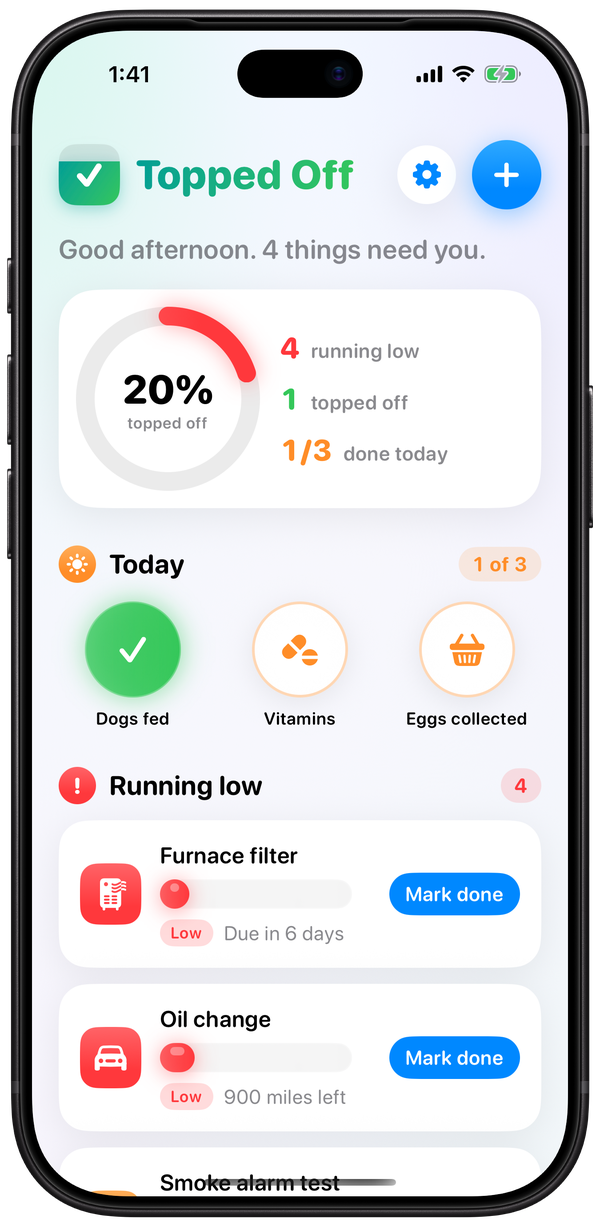
Know what’s due at a glance: the furnace filter, the oil change, the dog’s heartworm dose, the car registration. Each thing you keep up gets a bar that drains as time passes. Handle it, press Mark done, and it fills back up to green. Free for up to 5 things and 2 Today checks.

What you get
- The next job is the first thing you see. Things running low sit at the top, and things you’ve handled move down to Topped off.
- One list for the house, the car, the animals and the paperwork, tracked by days, miles, hours or a renew-by date.
- Your records stay yours. They sync through your own iCloud, and you can export every date to a spreadsheet whenever you like.
- No account and no sign-up. Nothing you enter is collected.
- One purchase covers the family. Topped Off Plus covers your whole Family Sharing group, and your household can share one list.
Faster than opening the app
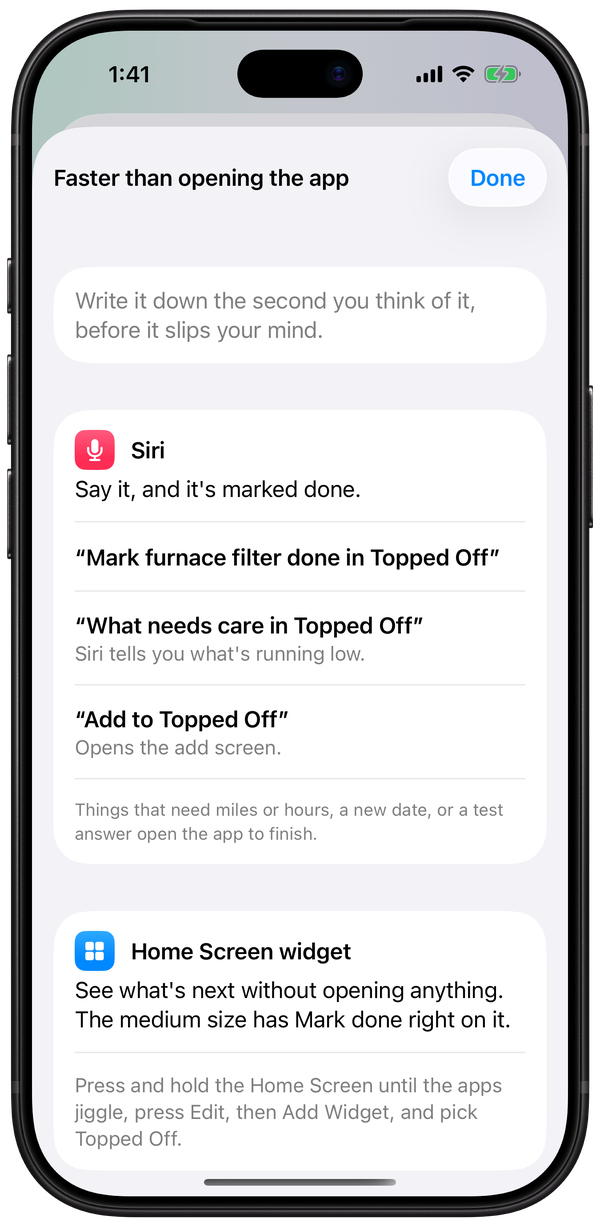
Write it down the second you think of it, before it slips your mind.
- Siri: say “Mark furnace filter done in Topped Off,” “What needs care in Topped Off” or “Add to Topped Off.”
- Home Screen widget: see what’s next without opening anything. The medium size has Mark done right on it.
- Lock Screen: know what’s due the moment you pick up your phone.
- Control Center and the Action button: add something from any screen, even inside another app.
- Apple Watch: check off Today from your wrist.
- Spotlight and the Shortcuts app too.
The gear menu in the app shows how to set up each one.
Tracked the way it comes due
- On a schedule you set in days, weeks, months or years: the furnace filter every 90 days, the gutters twice a year.
- By miles or hours, whichever comes first with the calendar: an oil change at 5,000 miles or 6 months.
- By a renew-by date: car registration, your passport.
- As a test that can fail: if a smoke alarm doesn’t work, it stays red until it’s replaced.
- With no schedule at all: a haircut shows how many days it’s been.
Pick from a ready-made list of 89 things, or type your own. Each one comes with a starting schedule already filled in, and you can change any number. Things that happen every day, like Dogs fed or Vitamins, go in Today, where one press turns each one green until tomorrow.
One reminder list a day, at most
Everything that needs you comes in one list, at the time you pick. You choose which reasons count, set quiet days, and can turn reminders off for any one thing.
What’s free and what’s paid
Topped Off is free for up to 5 things and 2 Today checks, with every feature working.
Topped Off Plus is one purchase, with no subscription and no ads. It gives you:
- As many things and Today checks as you like
- One shared list for your household, where anyone can mark things done
- Plus for everyone in your Family Sharing group, up to six people, so nobody pays twice
The price shows in the app before you buy.
Topped Off keeps track of the dates you give it and reminds you. The schedules it starts with are starting points; for anything that matters to safety, follow the maker’s instructions.
Help
For help with the app, email bookkeeping@grumbees.com. We answer email Tuesday to Friday, 8 AM to 5 PM, and Saturday, 8 AM to noon, Mountain time. We are closed Sunday and Monday.
Topped Off is published by Grumbee’s Bookkeeping LLC, based in Bayfield, Colorado. That’s why the email address says bookkeeping.
I already bought Plus. How do I get it back?
Press the gear, then Topped Off Plus, then Restore purchases. It’s for a new iPhone or iPad, or after you delete the app and install it again.
Does Plus cover my family?
Yes. Everyone in your Apple Family Sharing group gets Plus without buying it again.
How do I share one list with my household?
With Plus, press the gear, then Share with your household, and send the invite by Messages, Mail or a link. Each person opens it on their own iPhone, signed in to their own iCloud. Whatever was already on their list joins the household’s list. To stop, press the gear, then Leave the household. Your list stays on your phone.
Will my list show on my iPad and Apple Watch?
Yes, when they’re signed in to iCloud with the same Apple Account as your iPhone.
I did it on an earlier day. How do I fix the date?
Press and hold the thing, then press Done on an earlier day. To fix any past date, open the thing and press the date under History.
How do I change how often something comes due?
Open the thing and change the number under How often.
Can I add a photo?
Yes, one per thing: the filter’s size label, the oil the mower takes, where the shutoff valve is. Open the thing, press More details, then Add a photo.
How do I change my reminders?
Press the gear, then Reminders.
How do I get my dates into a spreadsheet?
Press the gear, then Export to a spreadsheet.
Can I see the tour again?
Press the gear, then How it works.
Can I get a refund?
Apple handles refunds for App Store purchases. We don’t handle them ourselves, so a refund request goes to Apple.
Privacy and terms
The app does not collect your personal information. Read the Privacy Policy for Topped Off.
The terms for using the app are in the Terms of Use for Topped Off.